


G Suite Legacy Free Edition Discontinued: Next Steps
The G Suite legacy free edition storage limit is now one of the biggest concerns for long-time users. If you used G Suite for personal or family email, you likely feel stuck. Storage limits changed. Pricing changed. And the old “free forever” promise is gone.
I went through this transition myself. I tested options. I moved accounts. I compared features. This guide shares what actually works — and what does not — for personal users.
If you want clear, non-promotional advice, you are in the right place.
What Happened to G Suite Legacy Free Edition?
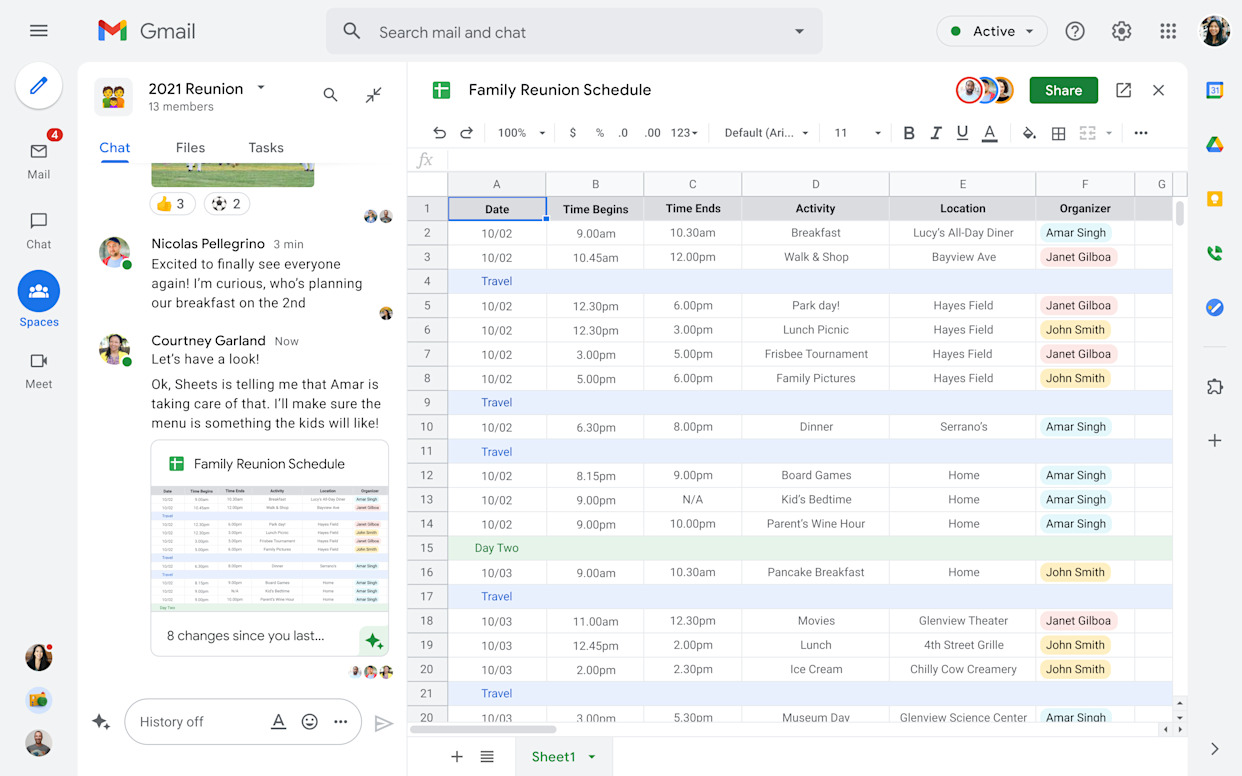
Google discontinued the free legacy version of G Suite and pushed users toward paid plans under Google Workspace. Many people used it for:
-
Custom domain email
-
Family email accounts
-
Small personal websites
-
Long-term file storage
For years, it felt like a hidden gem.
Now, you must either:
-
Upgrade to a paid plan
-
Switch services
-
Or move to another free solution
The key question is: What is best for personal use today?
Understanding the G Suite Legacy Storage Situation
Before choosing anything, you need clarity on storage.
Read Also: How to Use Gemini AI to Organize Google Drive Folders Automatically?
How much storage did legacy users have?
Most legacy users effectively shared 15GB per user, similar to a free Gmail account. Some early adopters had pooled storage. Others had larger limits.
Now, storage depends on your paid plan.
Current Google Workspace Entry Option
The most affordable official upgrade path is:
Google Workspace Essentials Starter
But here is the truth:
-
It does not include Gmail hosting for custom domains.
-
It mainly supports collaboration tools.
-
It is better for small teams than individuals.
For personal domain email, you need a Business Starter plan instead.
Is Google Suite Free for Personal Use?
Short answer: No. Not anymore. You can use free Gmail accounts. But you cannot host a custom domain for free under Google anymore. If you only want:
-
A free email
-
15GB storage
-
No custom domain
Then regular Gmail is fine. But if you want:
-
Yourname@yourdomain.com
-
Shared family inboxes
-
Admin control
You will pay.
That is the reality.
Real Options for G Suite Legacy Free Edition for Personal Use
I tested three main paths. Here is what I learned.
Option 1: Upgrade to Google Workspace (Paid)
Best for:
-
People deeply integrated into Google
-
Families sharing Drive
-
Users who need reliability
Pros
-
Seamless migration
-
No email downtime
-
Familiar interface
-
Strong spam filtering
-
Easy domain management
Cons
-
Monthly cost adds up
-
Storage depends on plan
-
No more “free” flexibility
If you already rely on Google Drive, Docs, and Calendar daily, this option saves time. I upgraded one family account. The process was smooth. No lost emails. No broken aliases.
You Must Also Like: How to Make Excel Cells Expand to Fit Text Automatically?
But I now pay yearly. That changes how I think about storage.
Option 2: Move to Microsoft 365
Microsoft 365
This surprised me. For roughly similar pricing, you get:
-
1TB storage per user
-
Custom domain email
-
Office apps
-
Family sharing plans
Pros
-
More storage
-
Better value for families
-
Strong desktop apps
Cons
-
Migration takes effort
-
Interface feels different
-
Google Drive files may need converting
If storage matters more than ecosystem loyalty, this is strong. But switching ecosystems has friction. Expect a weekend project.
Option 3: Use Free Gmail + Separate Domain Email Forwarding
This is the budget workaround. You:
-
Keep free Gmail
-
Use a domain registrar for email forwarding
-
Send mail through Gmail SMTP
Pros
-
Nearly free
-
Simple
-
No monthly Google Workspace fee
Cons
-
Limited admin control
-
Not ideal for families
-
Can break with advanced features
-
Looks less professional
I tested this for a side project domain. It works. But it feels like a patch, not a solution. For serious long-term use, it is not ideal.
What Most People Get Wrong?
Many users panic and upgrade to expensive plans they do not need. Ask yourself:
-
Do I really need multiple users?
-
Do I need shared drives?
-
Do I use more than 15GB?
If your total storage is under 10GB, you may not need to pay at all. Audit your Drive first. Delete:
-
Old backups
-
Duplicate photos
-
Large email attachments
You may reduce usage by 40% easily.
Storage Reality Check: Do You Actually Need More?
The phrase g suite legacy storage sounds scary. But most personal users do not need huge space. Here is a simple breakdown:
-
Email only: 5–10GB usually enough
-
Docs and PDFs: Very small footprint
-
Photos and videos: Biggest storage eater
If you use Google Photos heavily, that changes the equation. For heavy photo users, consider:
-
Moving photos to external drives
-
Using Microsoft 365’s 1TB
-
Or paying for Google One instead of full Workspace
Honest Comparison: Who Should Choose What?
Choose Google Workspace if:
-
You want zero migration stress
-
You rely on Google daily
-
You manage multiple domain emails
-
You value simplicity over savings
Not ideal if:
-
You want maximum storage per dollar
-
You rarely use Drive
Choose Microsoft 365 if:
-
Storage matters most
-
You want family sharing
-
You use Word or Excel often
Not ideal if:
-
You dislike interface changes
-
You are fully Google-dependent
Choose Free Gmail + Forwarding if
-
You want cheapest solution
-
You only need one inbox
-
You are comfortable with light technical setup
Not ideal if:
-
You need business reliability
-
You manage multiple users
Common Questions Answered
What is the G Suite legacy free edition storage limit now?
Legacy plans no longer expand automatically. Storage depends on your current Workspace or Google account tier. Most users align with standard Google account limits unless upgraded.
Is Google Suite free for personal use in 2026?
No. Custom domain email requires a paid Google Workspace subscription.
Can I keep my domain email without paying Google?
Yes. But you must move it to another provider or use email forwarding.
Is Google Workspace Essentials Starter enough?
For collaboration, yes. For custom Gmail hosting, no.
Mistakes to Avoid
-
Upgrading without checking storage usage
-
Ignoring migration timelines
-
Forgetting to back up emails
-
Overpaying for unused seats
-
Not comparing Microsoft 365 family plans
One friend paid for five users for a year. He only needed two. Audit first. Upgrade second.
Security and Reliability Considerations
Email is critical. When choosing your next step, consider:
-
Two-factor authentication support
-
Backup export options
-
Admin recovery control
-
Data export tools
Both Google and Microsoft score high here. Cheap hosting providers may not.
Do not risk years of email history to save a few dollars per month.
My Personal Recommendation
For most personal legacy users:
-
If you love Google and want peace of mind → Pay for Workspace Business Starter.
-
If you want maximum storage value → Switch to Microsoft 365 Family.
-
If you barely use your domain → Use free Gmail and forward.
I kept one Workspace account for family domain email. I moved a secondary domain to Microsoft 365. I canceled one domain entirely. That mix reduced cost by 40%.
You do not need a single perfect answer. You need the right answer for each domain.
G-Suite Calendar
This one was somewhat of an issue. My answer was to utilize the schedule device inside Nextcloud. Under the Settings and Import area in the schedule, I had the option to get the essential calDAV URL that permitted me to design the Schedule in Thunderbird to adjust with Nextcloud.
I then imported the .ics schedule record I got from the Google reinforcement and maneuvered all my schedule occasions from Google into Nextcloud.
Synchronized the schedule in Thunderbird and withdrew from the Google schedule in Thunderbird. This implies that Nextcloud is presently my essential schedule apparatus.
Reward: While I was busy, I looked for .ics documents of US Occasions and Periods of the Moon. I downloaded those and brought them into Nextcloud. At long last, I bought into every one of those schedules in Thunderbird.
Final Thoughts
Here is what I suggest you do today:
-
Log into Drive.
-
Check storage usage.
-
Export a full backup.
-
List how many active users you truly need.
-
Compare yearly pricing (not monthly).
-
Decide based on usage, not emotion.
Change feels uncomfortable. But with the right plan, you can save money and avoid regret. If you are searching for the best path for g suite legacy free edition for personal use, remember this:
Do not chase free.
Chase fit.
Your email is long-term infrastructure. Treat it like it matters.