



A Tour of Google Cloud Sustainability Google Cloud Skills Boost
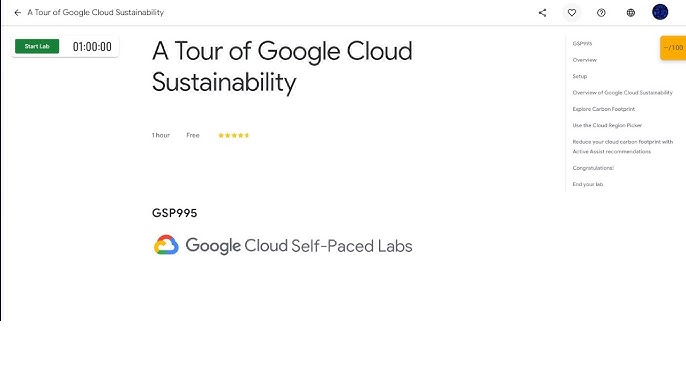
I remember staring at my cloud bill last year, thinking, "There has to be a better way." Not just for my wallet, but for the planet. I had heard Google Cloud was the cleanest cloud, but I wanted proof. That is when I found the "A Tour of Google Cloud Sustainability" lab on Google Cloud Skills Boost.
It is a hands-on lab. The code is GSP995. It takes about an hour. You get temporary credentials and a real Google Cloud console to explore. No slides. No videos. Just you, the tools, and real data.
I walked away from that lab with a completely different understanding of cloud sustainability. Here is what I actually learned.
The Sustainability Promise That Actually Matters
Google has been carbon neutral for years. But they are aiming for something bigger now. Their goal is to run on carbon-free energy, 24 hours a day, seven days a week, at all of their data centers by 2030.
Read Also: Agent Development Kit (ADK): Building Production-Ready, Safe AI Agents
In 2025, Google procured 12 gigawatts of clean energy. That is eight times as much as they did in 2019. Real infrastructure. Real investment. Real impact.
What the Lab Actually Teaches You?
The lab breaks down into four main tasks. Each one is practical and directly applicable to anyone running workloads on Google Cloud.
Task 1: The Carbon Sense Suite
The lab starts with an overview of Google Cloud's sustainability tools. You learn about the three key categories of carbon emissions associated with running workloads in the cloud: electricity consumption, burning on-site fossil fuels, and upstream and downstream activities.
The Carbon Sense suite brings together features from multiple Google Cloud products, like Active Assist and Carbon Footprint, to help you make progress towards a healthier planet.
Task 2: Your Carbon Footprint
This is where things get real. You navigate to the Carbon Footprint page in the Google Cloud console. You explore graphs indicating yearly and monthly gross carbon footprint for your billing account.
You can drill down by month, project, service, and region. The methodology behind these metrics is transparent and well-documented.
Then you export the data. You set up a BigQuery dataset, schedule a backfill for historical data, and actually see the numbers. This is not a demo. This is your data, your emissions, and your opportunity to act.
Task 3: The Cloud Region Picker
Not all cloud regions are created equal. Some run on cleaner energy than others. The lab shows you how to use the Cloud Region Picker to select regions based on carbon footprint, cost, and latency.
Google Cloud includes a Low CO2 indicator on location selectors to help you pick cleaner regions. The criteria for this indicator are publicly documented and based on real-time carbon-free energy data.
I now use this tool regularly. Before this lab, I did not know I could choose regions based on their carbon footprint. Now I factor that into every deployment decision.
Task 4: Active Assist Recommendations
This is the actionable part. Active Assist is a portfolio of intelligent tools that helps you optimize your cloud operations with recommendations to reduce costs, increase performance, improve security, and make more sustainable decisions.
The lab focuses on unattended project recommendations. I have shut down several unattended projects after running this lab. Less cost. Less carbon.
What I Liked About It?
The biggest strength of this lab is that it is not abstract. You are not just reading about sustainability. You are looking at your own carbon footprint data, exporting it, and seeing real recommendations for reducing it.
The lab is self-paced. It takes about an hour. It is available via Starter and Professional subscriptions. The instructions are clear, and the temporary credentials mean you are not using your own account or incurring any charges.
What Could Be Better?
The lab is not perfect. Some users have reported that the instructions can be unclear at certain steps. I noticed that the export configuration step required adding the BigQuery Data Editor role manually, which was not immediately obvious.
There is also the occasional availability issue. Some users have reported that the lab is not always accessible. It seems to be available most of the time, but it is worth checking before you plan your learning session.
The lab is relatively short. It covers the basics well, but I would have liked a deeper dive into some of the more advanced sustainability features, such as the supply chain sustainability assessment tool that Google Cloud recently introduced.
What Google Has Been Doing Beyond the Lab?
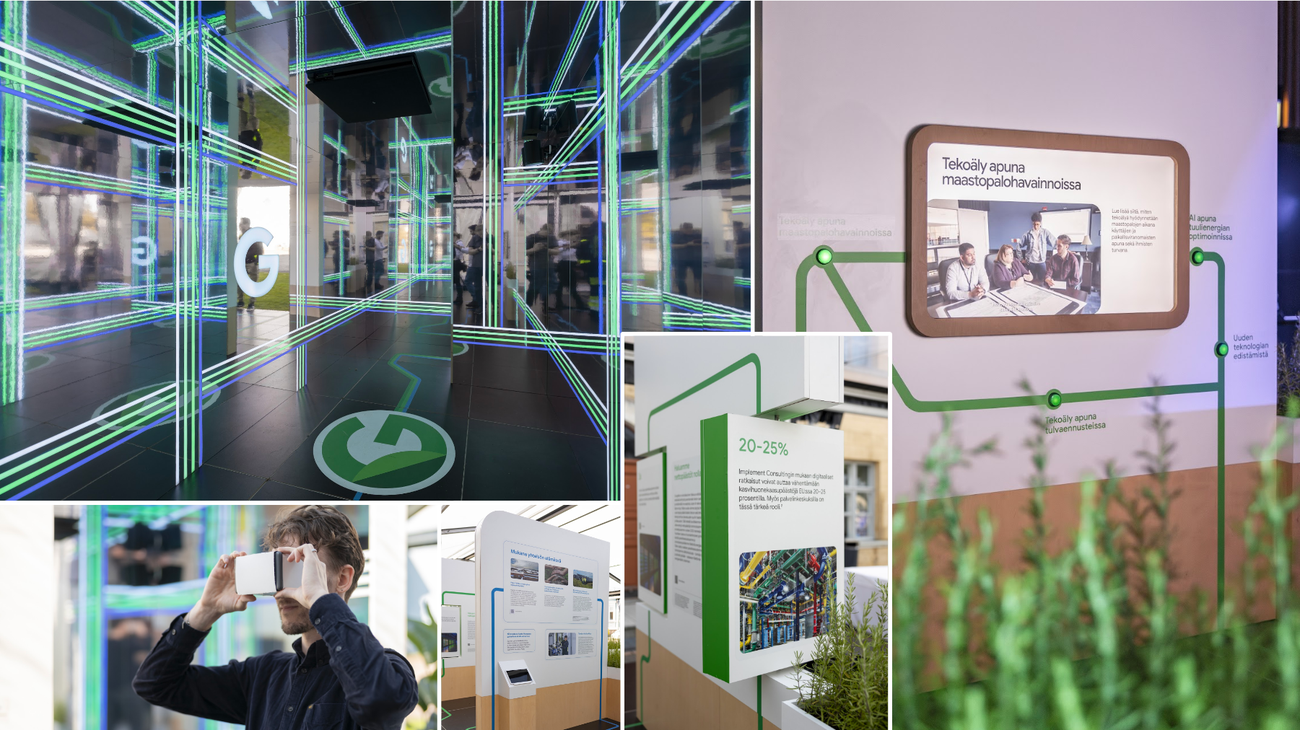
The lab is just the tip of the iceberg. Google Cloud has been expanding its sustainability initiatives significantly in 2026.
They recently signed up to Kuehne+Nagel's sustainable aviation fuel programme, helping advance the adoption of lower-emission airfreight operations. They have also been supporting climate-tech startups through their equity-free programme, giving them access to Google Cloud infrastructure and AI tools like Gemini.
You Must Also Like: Vertex AI Gemini Streaming: Real-Time AI Responses Guide
In April 2026, Google Cloud announced new AI tools for sustainable infrastructure and reporting. Companies like Equinix have used these tools to transform their sustainability reporting, facing a 46% year-over-year increase in customer sustainability requests.
Google also pledged $500 million to water infrastructure as data centre water consumption has drawn increasing scrutiny. They are even exploring the use of retired Pixel smartphones as low-cost computing platforms for their AI data centres.
Who Should Take This Lab?
This lab is ideal for:
-
Cloud architects and engineers who want to understand how to deploy workloads sustainably
-
Sustainability leads who need to report on cloud carbon emissions
-
DevOps professionals who manage cloud resources and want to reduce waste
-
Students and learners who are exploring Google Cloud and want to understand its sustainability features
It is not for everyone. If you are completely new to Google Cloud, you might find some of the console navigation challenging. But the lab does provide clear instructions and temporary credentials, so you can follow along without any prior experience.
The Final Thoughts
The "A Tour of Google Cloud Sustainability" lab is one of the most practical sustainability learning experiences I have come across. It does not preach. It does not exaggerate. It shows you the tools, lets you use them, and lets you draw your own conclusions.
Google Cloud has built a genuinely impressive set of sustainability tools. The Carbon Footprint dashboard is transparent. The Cloud Region Picker is practical. The Active Assist recommendations are actionable.
If you are using Google Cloud or planning to this lab is worth your time. It takes an hour. It costs nothing if you have a subscription. And it will change how you think about your cloud deployments.
The cleanest cloud is not just a marketing slogan. It is a measurable reality. And now, thanks to this lab, you can measure it for yourself.