


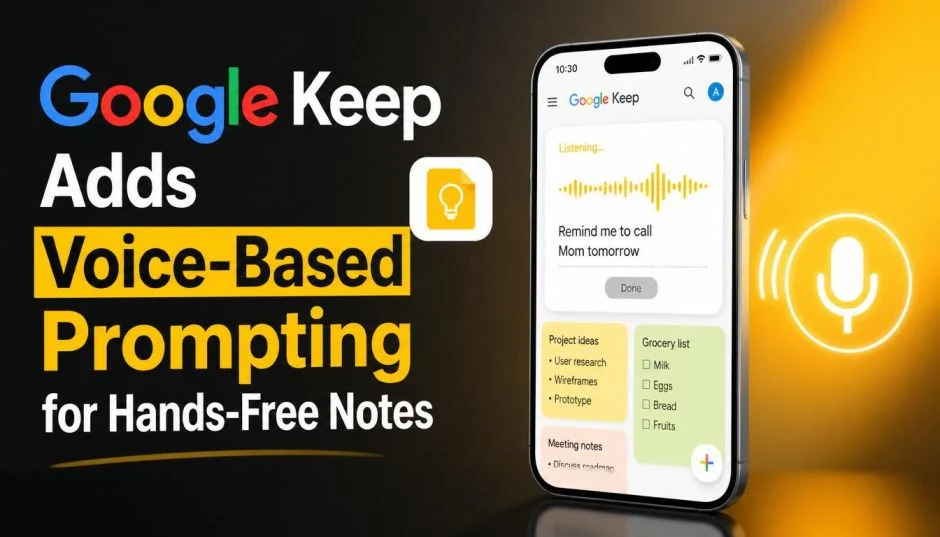
Breaking: Google Keep Adds Voice-Based Prompting for Hands-Free Notes
On May 18, 2026, at Google I/O, the company announced a major update to Google Keep. You can now speak your thoughts, and the app will organize them for you. No typing. No sorting through messy voice recordings. Just talk.
This is called voice-based prompting, and it works across Google Keep, Docs, and Gmail. For anyone who has ever rambled into a voice memo and never listened to it again, this changes everything.
Here is exactly what Google announced voice-based prompting for Keep, how it works, who gets it first, and whether you should care.
What Is Voice-Based Prompting in Google Keep?
The new feature has a simple name inside Google. Some call it "Talk to Keep". The idea is straightforward. You open the app. You tap a new floating action button with a live microphone icon. A fullscreen interface opens. A waveform hugs the edge of your screen. Then you talk.
Read Also: Why Do I Have to Keep Verifying My Google Account?
You can ramble. You can jump between topics. You can change your mind mid-sentence. The underlying Gemini AI model does the heavy lifting. It listens for intent, not just words.
Say this out loud: "I need milk, eggs, bread, and also my sister's birthday is next week so get her a candle, and I should probably call the plumber about the leaky faucet."
Google Keep splits that into separate notes. One shopping list. One birthday reminder. One to-do item about the plumber. You do nothing. The app does it for you.
This is not voice dictation. Dictation just writes down whatever you say, including the "ums" and the "actually wait no." This is voice prompting. The AI understands what you mean, not just what you said.
How It Compares to What You Already Use?
You might already use voice typing on your phone. Gboard has a microphone button. You talk, and words appear. That is dictation. It is dumb. It does not know that "get her a candle" belongs with "sister's birthday" and not with "grocery list."
Google Keep's new feature is smarter. It organizes. It separates topics. It creates structure from chaos.
Other apps have tried this. Voicenotes.com and AudioPen offered voice-to-structured-text workflows years ago . Desktop tools like Wispr Flow, Monologue, and Aqua Voice built loyal followings.
What Google brings is scale. Keep is free. It is already on your phone if you use Android. It syncs across devices. And now it connects directly to Google Docs, Gmail, and the rest of Workspace.
That last part matters. A voice note in Keep can become a paragraph in a Google Doc. A grocery list can turn into an email draft. The wall between "scribbled thought" and "finished work" just got thinner.
The Technology Behind It: Gemini AI
Google released a dictation product called Rambler earlier in May 2026. It lives inside Gboard. Rambler strips filler words. It handles switching between languages mid-sentence.
Voice prompting in Keep uses the same underlying tech, plus more. The Gemini model understands context. It knows when you switch topics. It knows when you are asking for a list versus a reminder versus a journal entry.
Google CEO Sundar Pichai said at I/O that users will soon create and edit documents using voice as a matter of course. Keep is the first step. The training wheels. If you can talk to Keep, you can eventually talk to Docs. And Gmail. And everything else.
What Else Google Announced at I/O 2026?
Keep is not the only app getting this upgrade. Google announced two related features.
Docs Live lets you create and edit documents entirely by speaking. In a demo, a user verbally instructed the tool to pull resume details from Drive, add event logistics from an email thread, and include humorous anecdotes, all in one unscripted stream of speech. The AI follows along even when you change direction mid-sentence.
Gmail Live is a conversational voice interface for your inbox. Instead of typing search queries, you ask: "What is my flight's gate number?" or "What time is my doctor's appointment tomorrow?" Gemini searches your emails and answers in natural language.
All three features share the same DNA. Talk. The AI listens. The AI does something useful.
Release Date and Who Gets Access
Here is the timeline.
Summer 2026. The features start rolling out.
Platforms. Android first. iOS follows.
Languages. English only at launch. US only.
Subscription required. You need Google AI Pro or Google AI Ultra. These are premium tiers. Free Google accounts do not get voice prompting at launch.
Business users. Google Workspace business customers get access through a preview program this summer.
If you are a free user, you wait. Google has not said when or if the feature comes to free accounts.
Real-World Use Cases: Where This Actually Helps?
I have tested similar tools. Here is where voice prompting in Keep shines.
Grocery Shopping While Driving Home
You are stuck in traffic. You remember you need cilantro. And limes. And the dry cleaner forgot to press your shirts. You talk. Keep makes two lists: groceries and errands. You never touch your phone.
You Must Also Like: How to Sync Samsung Notes to Google Keep?
Brain Dump Before Bed
Your mind races at 11 PM. You have a work idea, a gift idea for your spouse, and a nagging feeling you forgot to pay the electric bill. You whisper into your phone. Keep sorts it into three notes. You sleep.
Meeting Notes While Walking
You leave a meeting. You walk to your car. You talk through the action items. Keep creates a bullet list. Later, you open the note and email it to your team. No typing. No forgetting.
Multi-Topic Rambling
This is the killer feature. You can say: "Remind me to call the vet about the dog's shots. Also, I need a birthday card for mom. Also, what is the name of that Thai place we liked?" Keep makes three separate notes. One reminder. One shopping item. One search query you can act on later.
Limitations and Honest Drawbacks
Not everything is perfect. Here is what Google did not tell you on stage.
Subscription lock. If you do not pay for AI Pro or Ultra, you do not get this. That is $20 to $30 per month depending on your plan. For many people, that is too much for voice notes.
English only at launch. If you speak Spanish, Mandarin, or Hindi, you wait. Google says more languages later. No date given.
US only initially. Same problem. International users wait.
Privacy questions. Your voice gets processed by Gemini. That means Google's servers hear what you say. Google says it uses this data to improve the model. If that makes you uncomfortable, stick to typing.
Accuracy is not perfect. The demos looked flawless. Real-world use never is. Background noise. Accents. Mumbling. The AI will make mistakes. You will need to edit.
No offline mode. You need an internet connection. The processing happens in the cloud, not on your device.
Who Should Use This?
Buy Google AI Pro or Ultra for Keep voice prompting if:
-
You take a lot of quick notes throughout the day
-
You drive or walk while thinking about tasks
-
You already pay for Google AI features
-
You hate typing on a small phone keyboard
-
Your brain jumps between topics constantly
Do not buy a subscription just for this if:
-
You rarely take notes on your phone
-
You prefer typing to talking in public
-
You are fine with free note-taking apps like Standard Notes or Simplenote
-
You have privacy concerns about voice data
-
You live outside the US or do not speak English fluently
How Voice Prompting in Keep Stacks Against Competitors ?
| Feature | Google Keep (new) | Apple Notes | Microsoft OneNote | Voicenotes.ai |
|---|---|---|---|---|
| Voice organization | Yes (Gemini) | No (dictation only) | No (dictation only) | Yes |
| Multi-topic splitting | Yes | No | No | Yes |
| Free tier | No (subscription) | Yes | Yes | Freemium |
| Workspace integration | Full | iCloud only | Microsoft 365 | Limited |
| Offline mode | No | Yes | Yes | No |
Google's advantage is integration. Your Keep voice note flows into Docs. Your Docs flow into Gmail. One ecosystem. One subscription.
The competitors do one thing well. Google does everything passably well inside one interface.
The Future: Where This Is Headed?
Google is not stopping at Keep. Docs Live and Gmail Live launch this summer alongside it.
The long-term vision is clear. You will talk to your computer like you talk to a person. You will say "write an email to my boss about the delayed project and attach the spreadsheet from last Tuesday" and the AI will do it. No clicking. No typing. Just speaking.
Keep is the first step. The smallest, simplest app gets the feature first. Google works out the bugs. Then it scales to everything else.
Sundar Pichai said the keyboard's monopoly on productivity is overdue for a challenge . Voice prompting in Keep is that challenge.
The Final Thoughts
Google announced voice-based prompting for Keep at I/O 2026. It launches this summer for AI Pro and Ultra subscribers in the US. You talk. The AI listens and organizes. It splits your rambling thoughts into clean, separate notes.
This is not revolutionary technology. Apps like Voicenotes have done similar things for years . What is different is the scale. Google Keep is on billions of devices. When this rolls out, it becomes the default way millions of people take notes.
If you already pay for Google AI, this is a nice bonus. If you do not, wait and see if the feature comes to free users. Voice prompting is useful. But it is not worth $20 per month on its own.
The real value comes later, when Docs and Gmail get the same treatment. A unified voice interface across all of Google Workspace changes how you work. Keep is just the beginning.