



Why Upgrade to the Google Apps for Work Suite? A Business Guide
Moving your business to the cloud is a big decision. The Google Apps for work suite is often the first name that comes up. But is it the right fit for your team? I have spent years managing Google Workspace for different organizations.
I have seen the wins and the headaches. The truth is, it is not for everyone. Before you migrate your entire operation, you need to know what you are signing up for.
What Are the Google Apps Called Now?
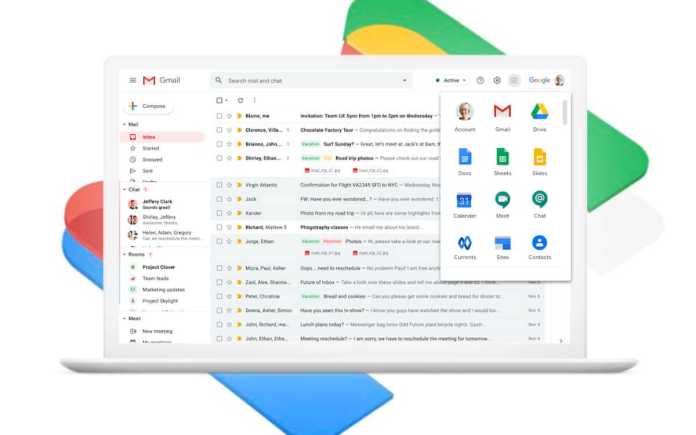
Let me clear up the confusion first. What are the google apps called for business? They are called Google Workspace now. It used to be G Suite. Before that, it was Google Apps for Work. Google changes names like most people change socks.
Read Also: Microsoft Xbox Outage Leaves Players Unable to Launch Games or Sign In
The core apps are the same. Gmail, Drive, Docs, Sheets, Calendar, and Meet. You still get your custom email address at your own domain (@yourcompany.com). You still get cloud storage. The name is just a wrapper around the same powerful tools.
The Core Apps: What You Actually Get
The Google Apps for work suite is more than just email. It is an ecosystem. Here is what you get right out of the box.
Communication Tools
-
Gmail: Your professional email with your company domain. No more @gmail.com addresses.
-
Google Meet: Video conferencing for up to 100 participants on basic plans and up to 1,000 on Enterprise plans .
-
Google Chat: Team messaging and group conversations.
Collaboration and Productivity
-
Google Drive: Cloud storage. You start with 30 GB per user. Enterprise plans give you 5 TB or unlimited .
-
Google Docs: Word processing. Real-time collaboration.
-
Google Sheets: Spreadsheets. Share and edit with your team live.
-
Google Slides: Presentations.
-
Google Calendar: Shared calendars for scheduling meetings.
-
Google Forms: Surveys and data collection.
-
Google Sites: Build internal websites with no coding required .
These apps work together seamlessly. Your team can create, share, and edit documents from anywhere. And it all happens in a browser. No software to install.
The Admin Side: Where the Magic Happens?
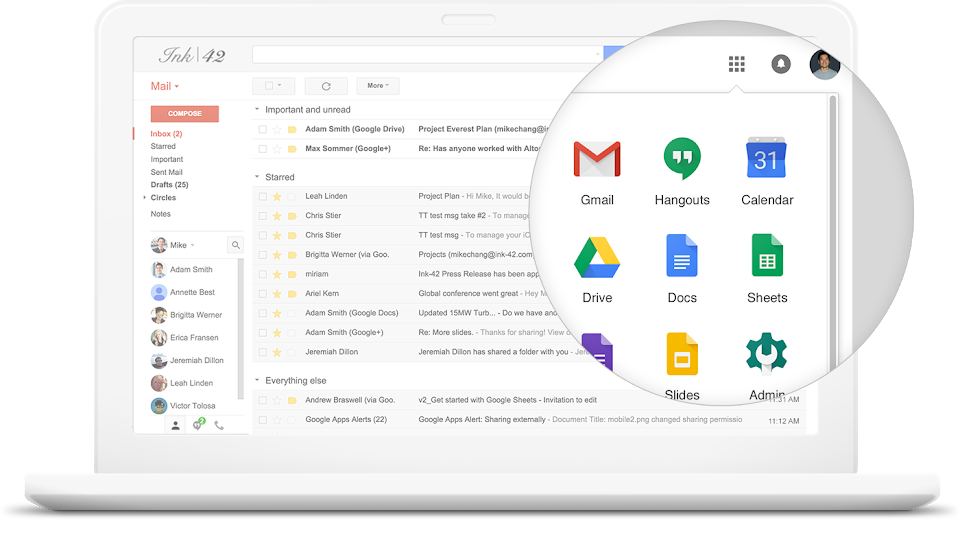
This is where many businesses hit a wall. Google Workspace login Admin is your control center. You access it at admin.google.com . Here, you manage everything. You add or remove users. You set security policies. You control which apps your team can use.
Here is the catch. You cannot log in with a regular @gmail.com account. You need a special admin account. It is usually something like admin@yourcompany.com . If you lose access to that admin account, you are in trouble. Google has recovery processes, but they involve proving domain ownership through DNS records . It takes time.
Practical advice: Set up at least two admin accounts when you first start. Give one to your IT person. Keep one as a backup. I have seen companies locked out for days because the only admin left the company . Do not make that mistake.
Pricing: The Reality Check
The iPad with Keyboard and Pen price is one thing. Workspace pricing is another. Costs vary depending on your plan. Here is the breakdown.
Business Starter
-
Around $6 per user per month.
-
30 GB storage per user.
-
Standard security features.
-
Good for small teams.
Business Standard
-
Around $12 per user per month.
-
2 TB storage per user.
-
More admin controls.
-
Google Vault for archiving and eDiscovery.
Business Plus
-
Around $18 per user per month.
-
5 TB storage per user.
-
Advanced security tools.
-
Data loss prevention (DLP) features.
Enterprise Plans
-
Custom pricing.
-
Unlimited storage.
-
Advanced security like S/MIME encryption and client-side encryption .
Special Cases
-
Nonprofits: Free access if you qualify .
-
Education: Heavily discounted or free.
-
Frontline Workers: Google has special editions for deskless workers with 5 GB storage per user .
Security and AI: What You Are Paying For?
The security features are what separate Workspace from the free consumer version. Business and Enterprise plans include tools like Data Loss Prevention (DLP), Context-Aware Access, and Google Vault for eDiscovery .
You Must Also Like: How to Use Fill with Gemini in Google Sheets for Free?
DLP: This prevents users from sharing sensitive data outside your organization. You create rules. Google enforces them.
Context-Aware Access: You control access based on user identity, device security, IP address, and location . This is a game-changer for remote teams.
Gemini AI: Google has integrated AI into Workspace. It was called Duet AI. Now it is Gemini . It helps with writing emails, summarizing meetings, and generating content. Google promises not to use your business data to train their models. That is a big deal for compliance .
The Downsides: Honest Talk
I have been using Workspace for years. Here are the real issues.
The Learning Curve: Your team will struggle initially. People are used to Microsoft Office. Google Docs and Sheets work differently. The shortcuts are not the same. The features are not identical. You will need training.
Offline Mode is Clunky: You can work offline in Google Docs. It does not work well for everyone. Files sync slowly sometimes. If you have spotty internet, this is a problem.
Storage Management: The 30 GB limit on Starter plans fills up fast. One email with large attachments can eat your quota. Upgrading costs more.
Admin Console Complexity: The Google Workspace login Admin is powerful but intimidating. It is not beginner-friendly. You need technical knowledge to set up things like DLP or Context-Aware Access.
Compatibility Issues: Microsoft Office files sometimes lose formatting when opened in Google Docs. It has improved but not perfect.
Who Should Upgrade?
Do it if:
-
Your team needs real-time collaboration.
-
You want to work from anywhere.
-
You need a professional email with your domain.
-
You value security and compliance features.
-
You are on a budget compared to Microsoft 365.
Do not do it if:
-
Your team is heavily invested in Microsoft Office.
-
You need advanced desktop features (complex Excel macros, for example).
-
You have unreliable internet.
-
You do not have someone to manage the admin console.
The Final Thoughts
Upgrading to the Google Apps for work suite is a strategic move. It is not just about email. It is about changing how your team works. The collaboration features are unmatched.
The security tools are enterprise-grade. But it comes with a learning curve and management overhead. Do your homework. Test the apps with a small team first. And never lose your admin password.